Repeated Instructions
Recurring work still needs to be explained each time someone takes responsibility for it.

Built for founders and small service teams, Business Execution OS gives you a clean Notion operating system with 12 ready-to-use SOPs and practical daily planning. Standardize recurring work without spending days building the system from scratch.
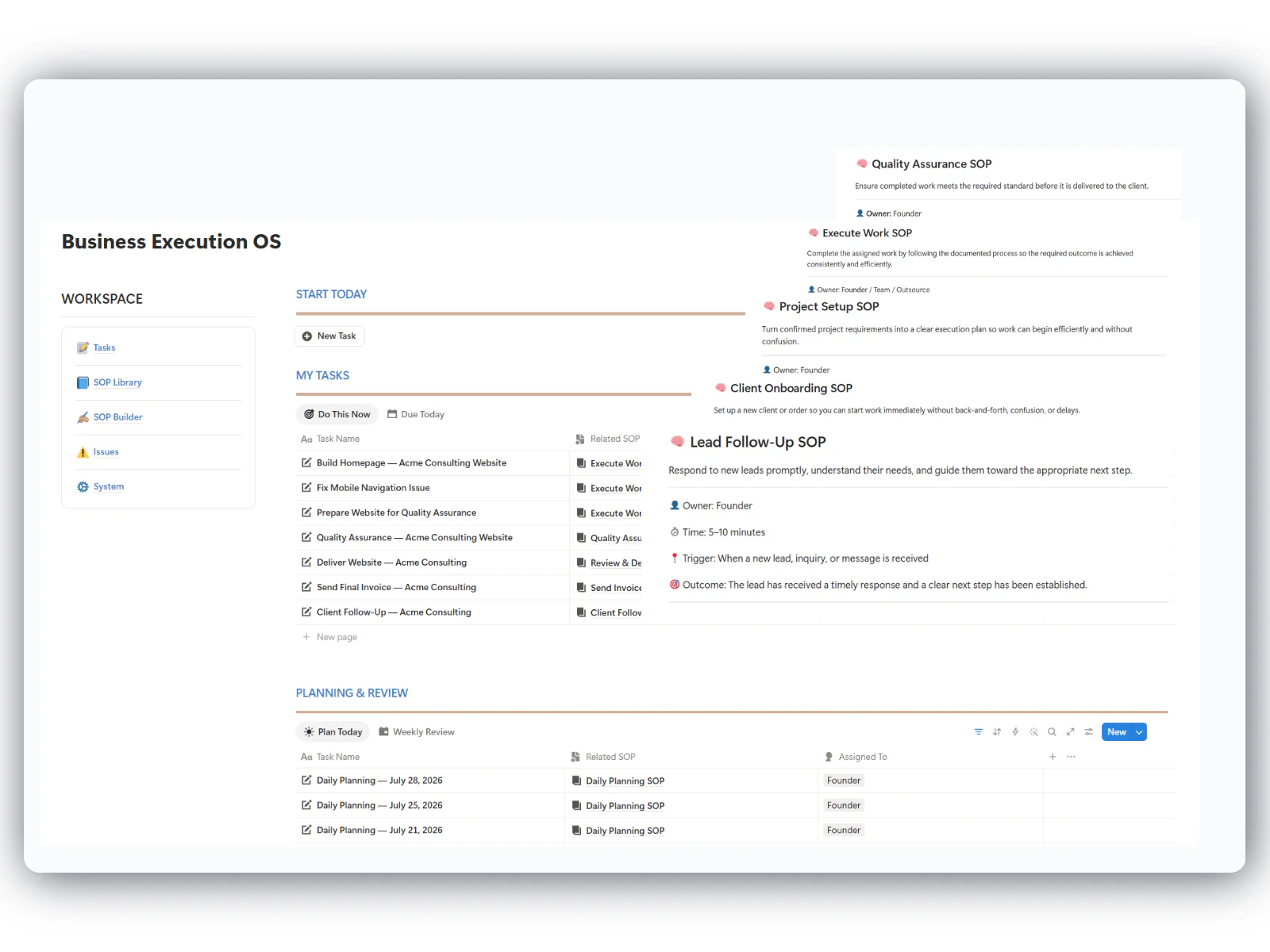
As client work and team responsibilities increase, informal ways of working become harder to maintain. The problem is rarely effort—it is the absence of one repeatable system.
Recurring work still needs to be explained each time someone takes responsibility for it.
Different people complete the same work in different ways, making quality harder to maintain.
Important steps remain undocumented and become difficult to recover when someone is unavailable.
Progress continues to depend on reminders, status checks and constant supervision.
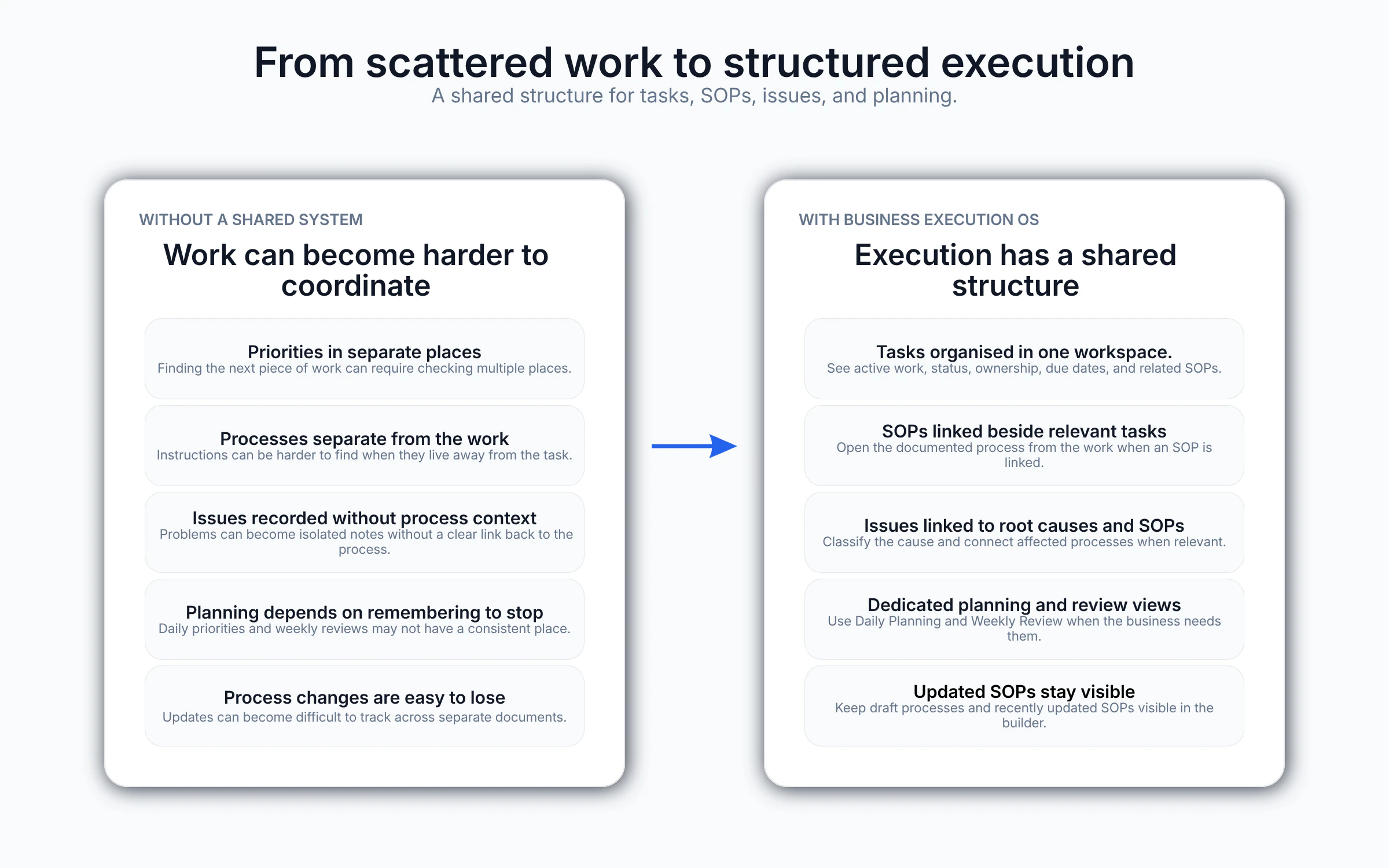
Business Execution OS connects tasks, SOPs, issues and planning in one practical Notion workspace—so recurring work follows a documented process without requiring you to build the operating structure from scratch.
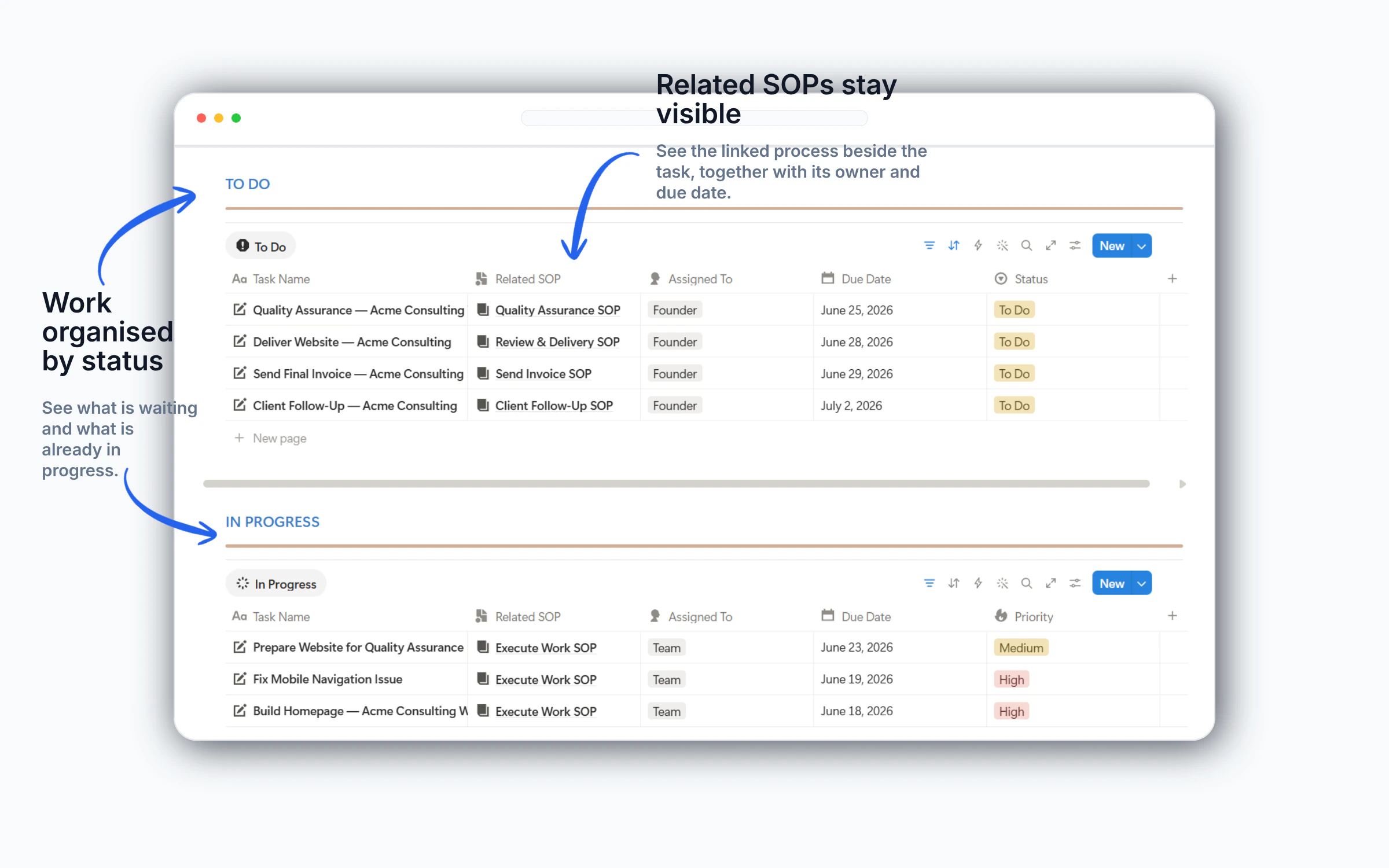
Every recurring task can include an owner, due date, priority and linked SOP before work begins.
Approved SOPs sit beside recurring tasks, giving people one clear process to follow without repeated instructions.
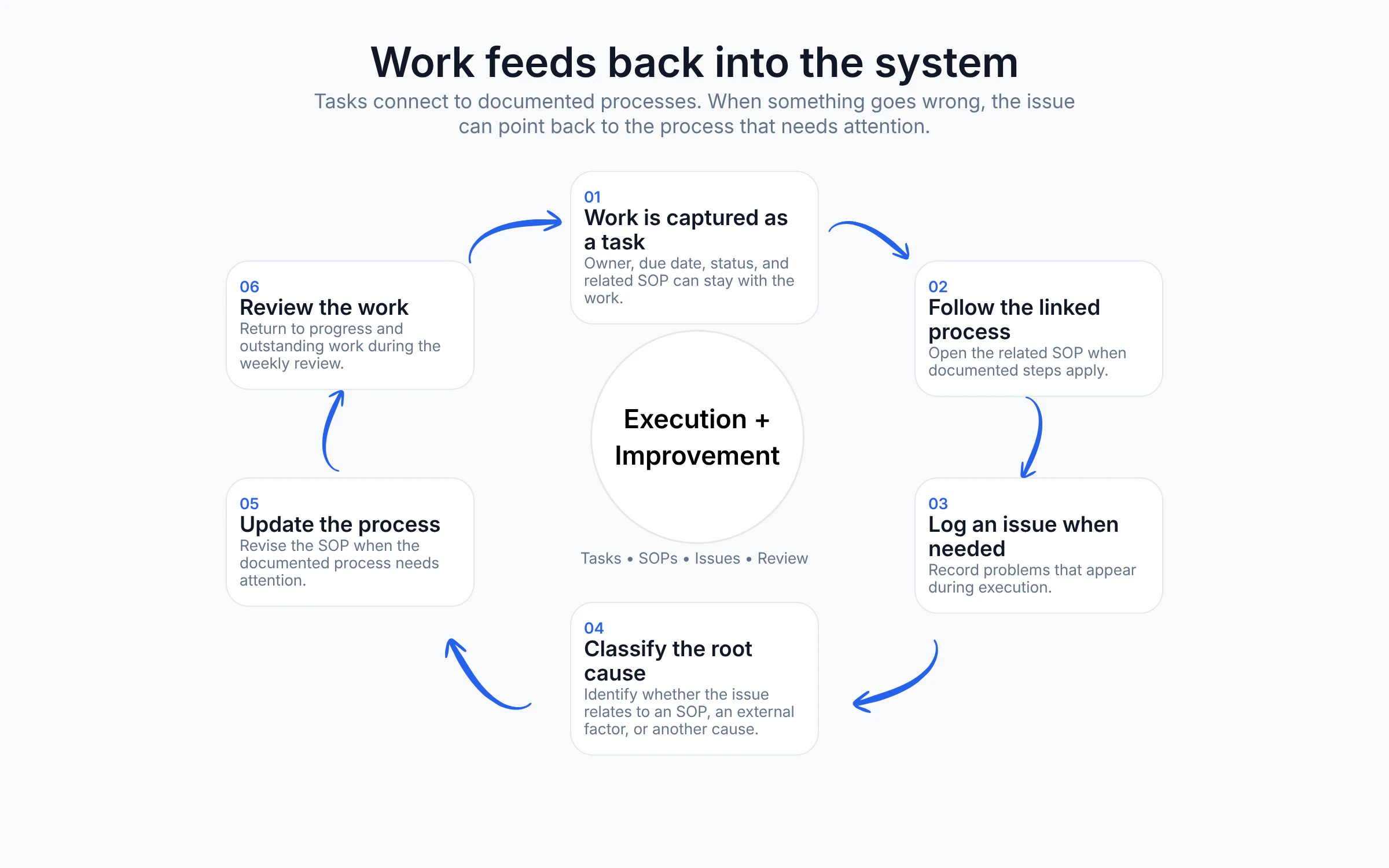
Issues are captured, traced to a root cause and used to strengthen the process instead of being solved repeatedly.
Daily planning and weekly reviews keep priorities visible and help improvements carry into future work.
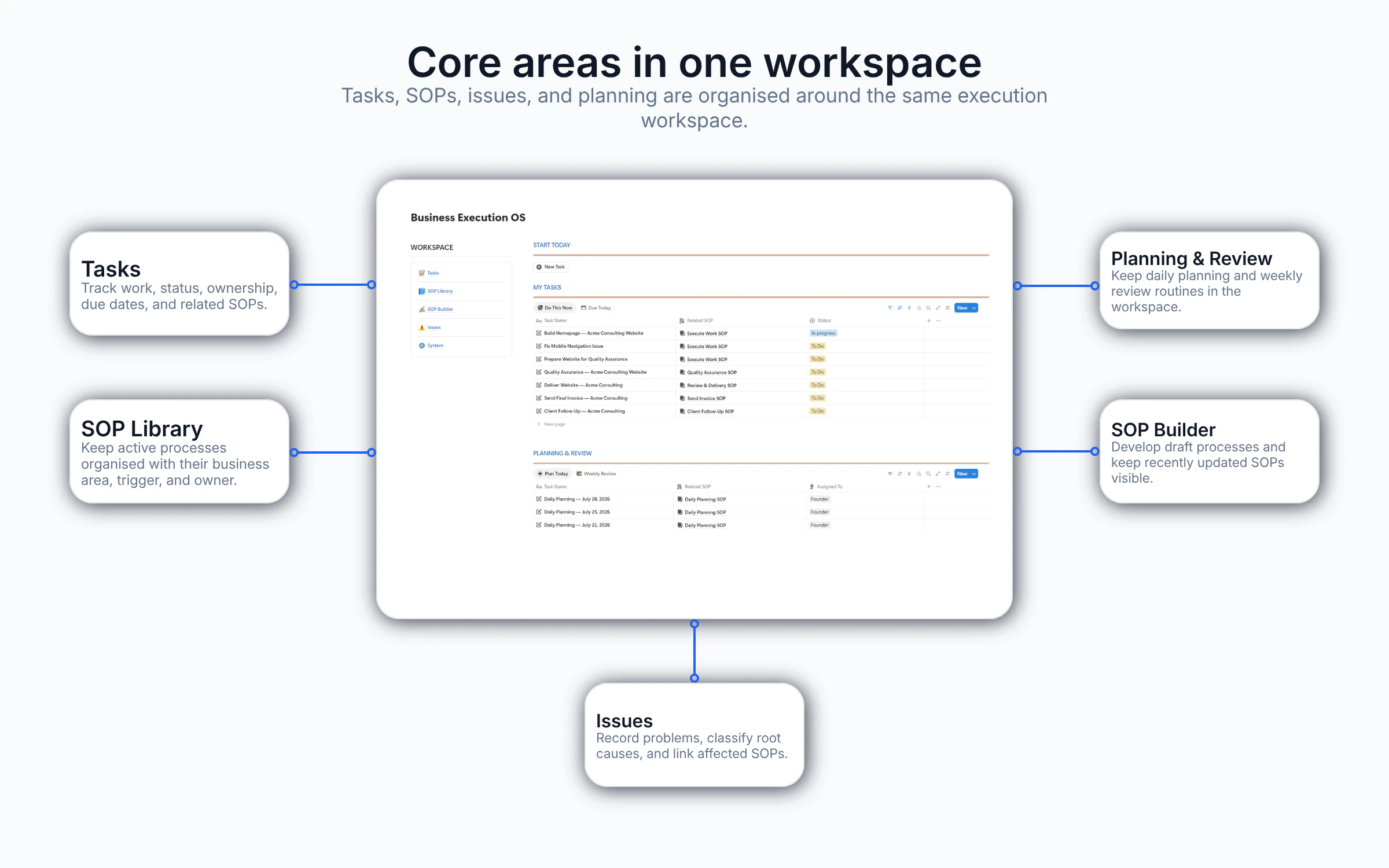
Business Execution OS is not a collection of disconnected Notion pages. Its six modules work together to help you plan work, attach the right process, capture problems and improve how your business operates over time.
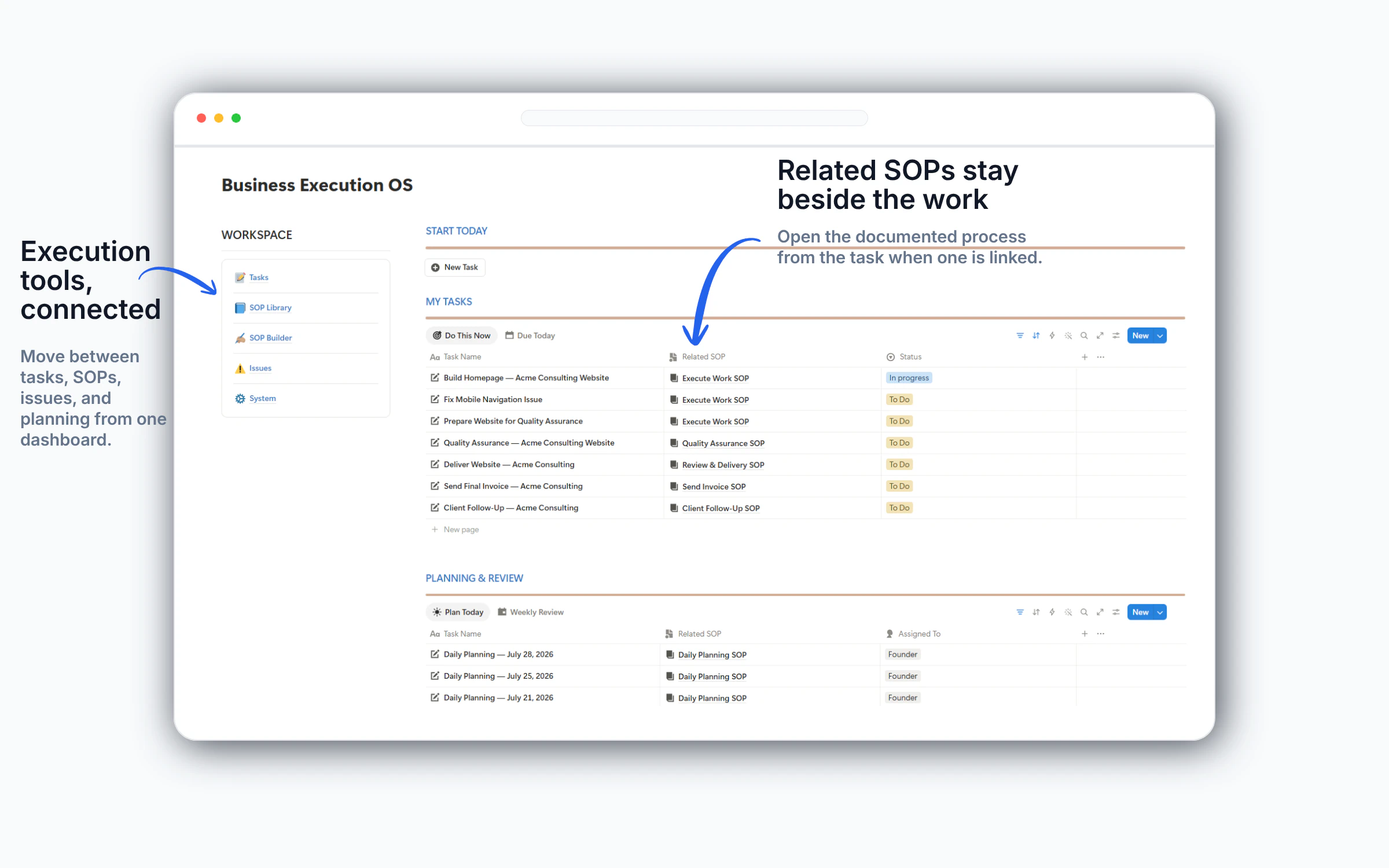
See today’s priorities, active work and essential workspace links in one place—so you can start the day without rebuilding your view or searching across separate pages.
Give each task an owner, due date, priority and linked SOP, so delegation begins with clear expectations instead of another round of follow-up.
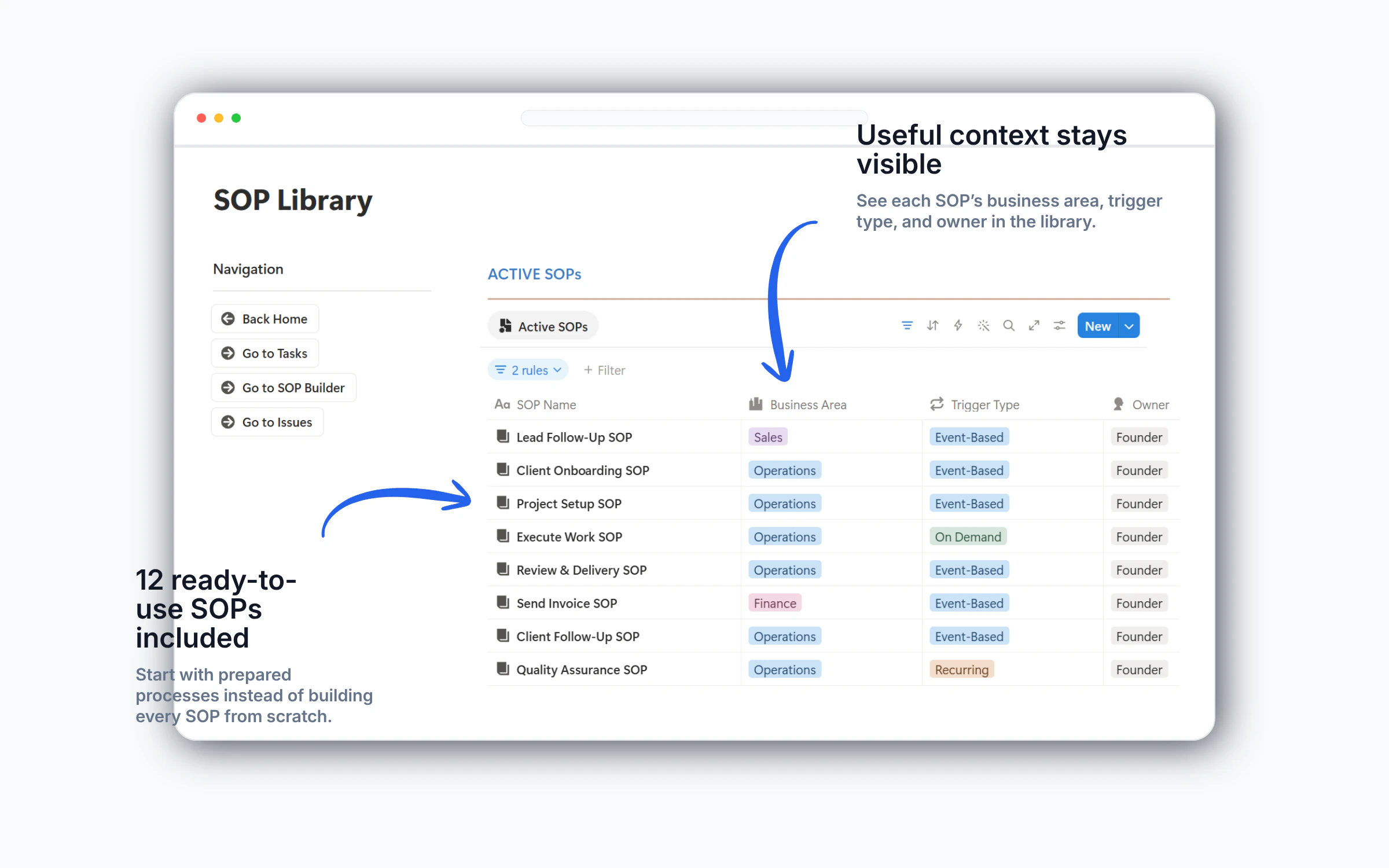
Keep approved procedures in one central library and connect them to the work they guide, so your team can find the right process when it is needed.
Each SOP includes the context needed before work begins, followed by clear execution steps and the reason each step matters.
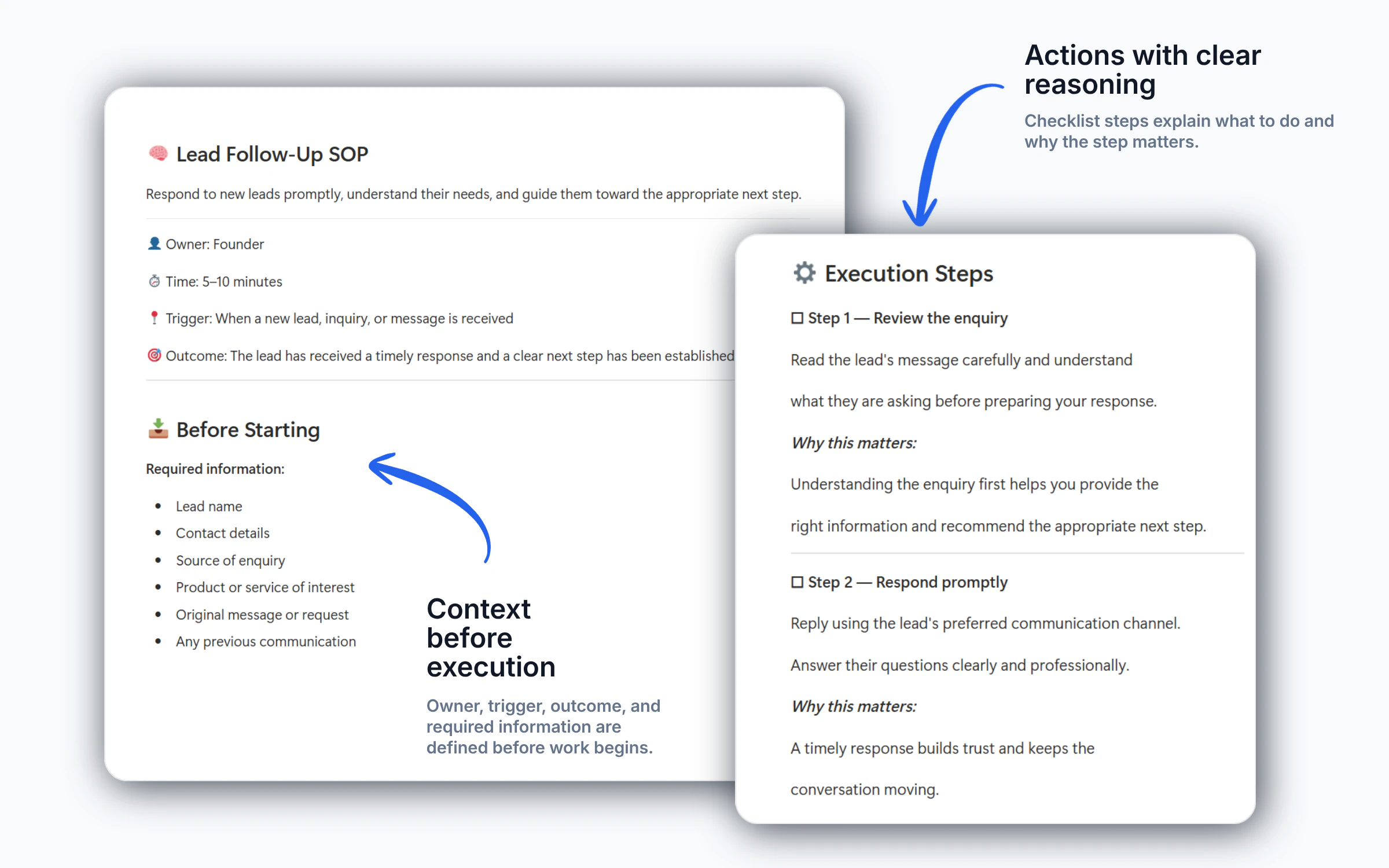
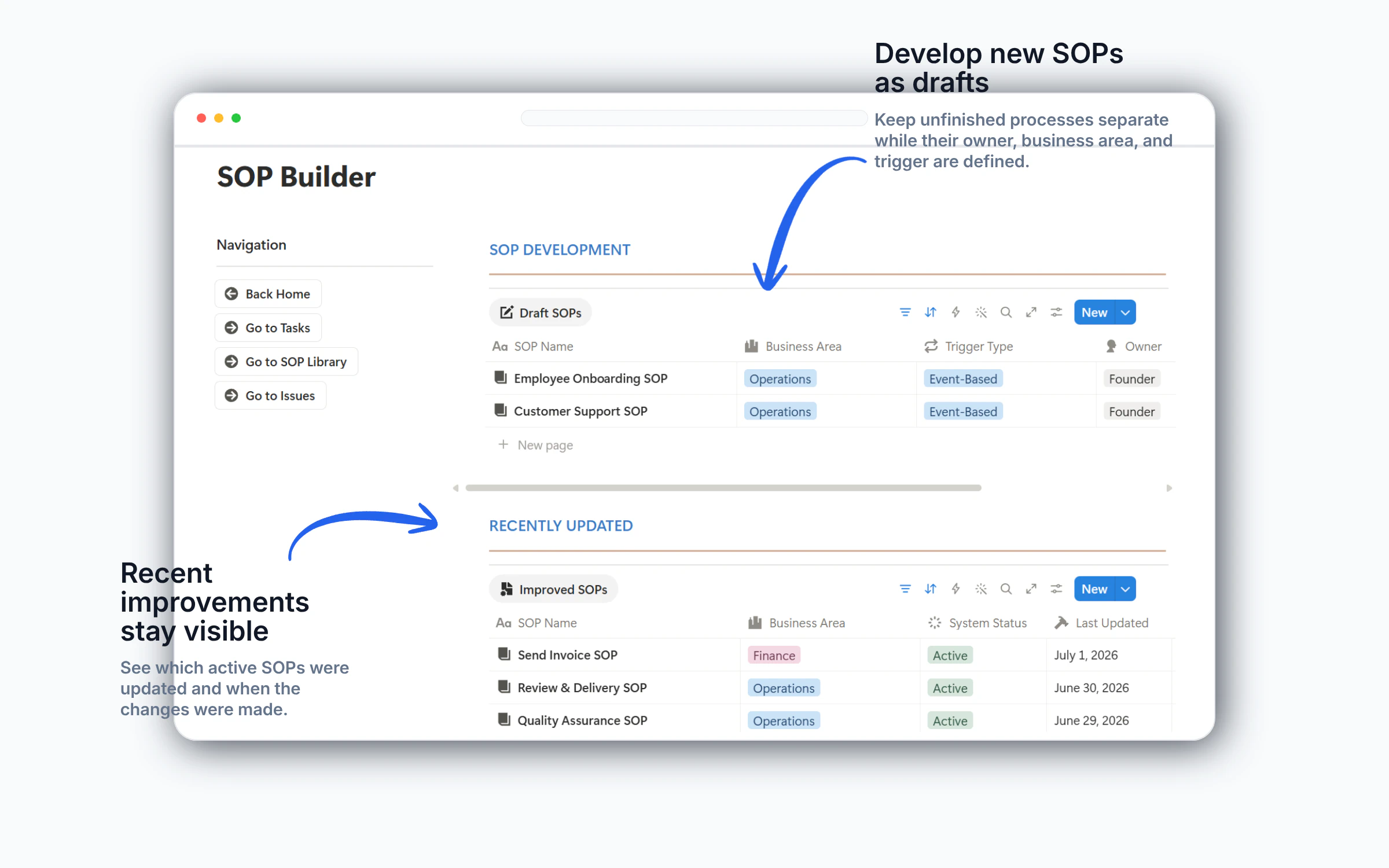
Create and improve SOPs with a structured framework instead of starting from a blank page, making documentation easier to maintain as your business changes.
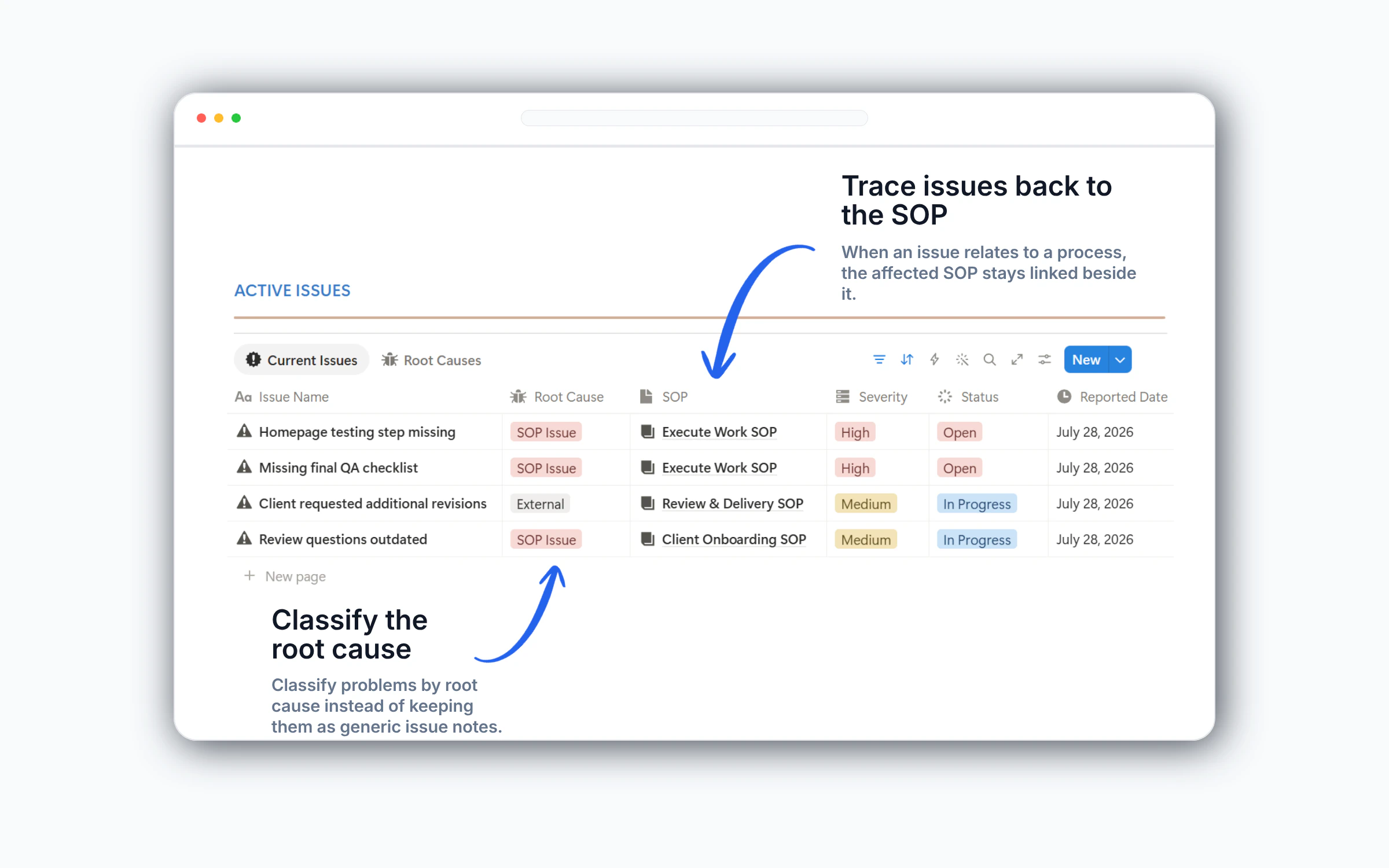
Record issues as they happen, classify the root cause, and link the affected SOP when the problem relates to a documented process.
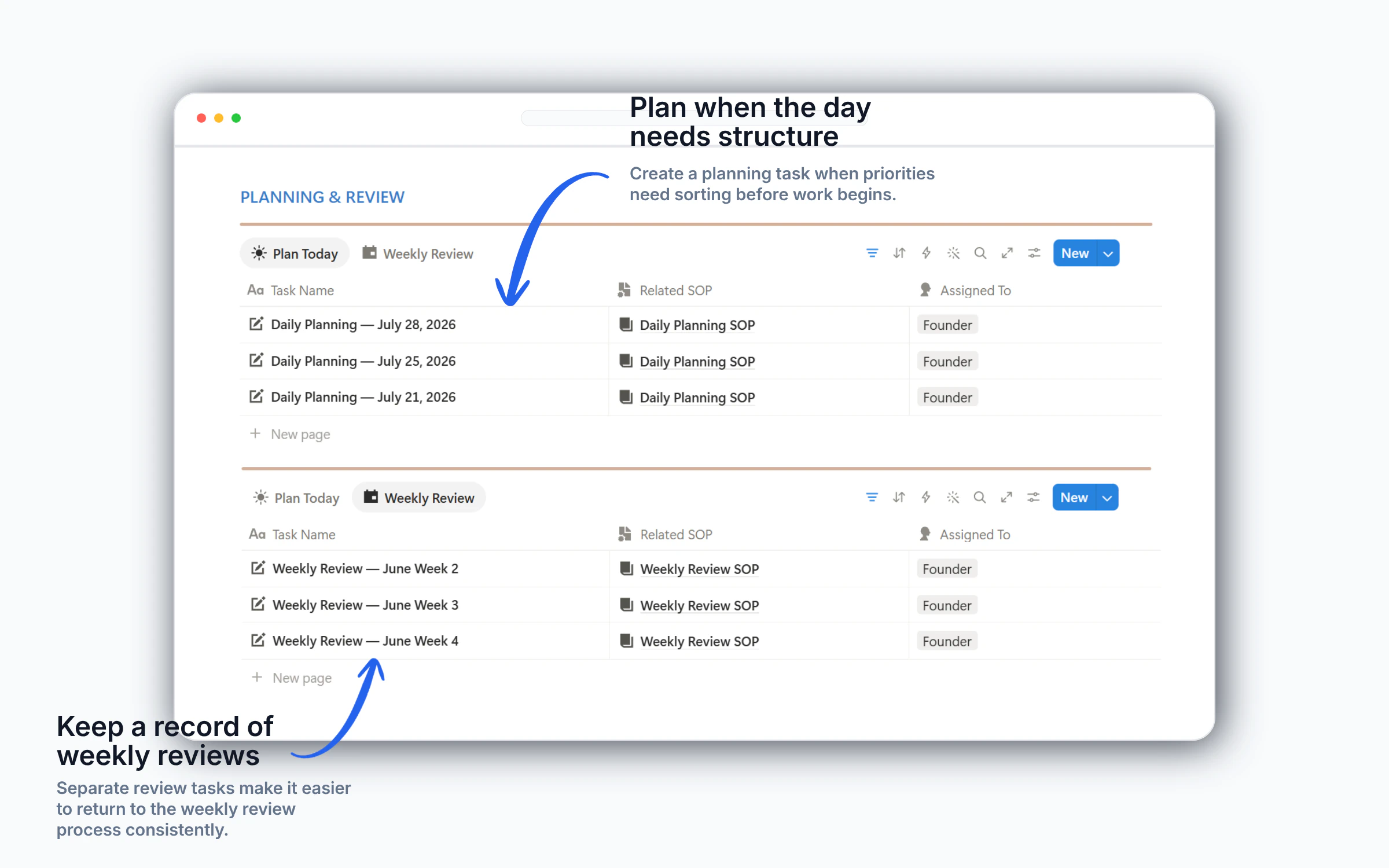
Use Daily Planning when priorities need sorting, and keep Weekly Review tasks separate so progress and outstanding work are easier to revisit.
Business Execution OS includes the workspace structure, ready-to-use SOPs, operational templates, sample content and implementation guidance you need to begin building repeatable processes without starting from scratch.
Instead of starting with a blank workspace, you receive a structured system with connected tasks, SOPs, issues and planning—plus ready-to-use processes and sample content that give you a practical place to begin.
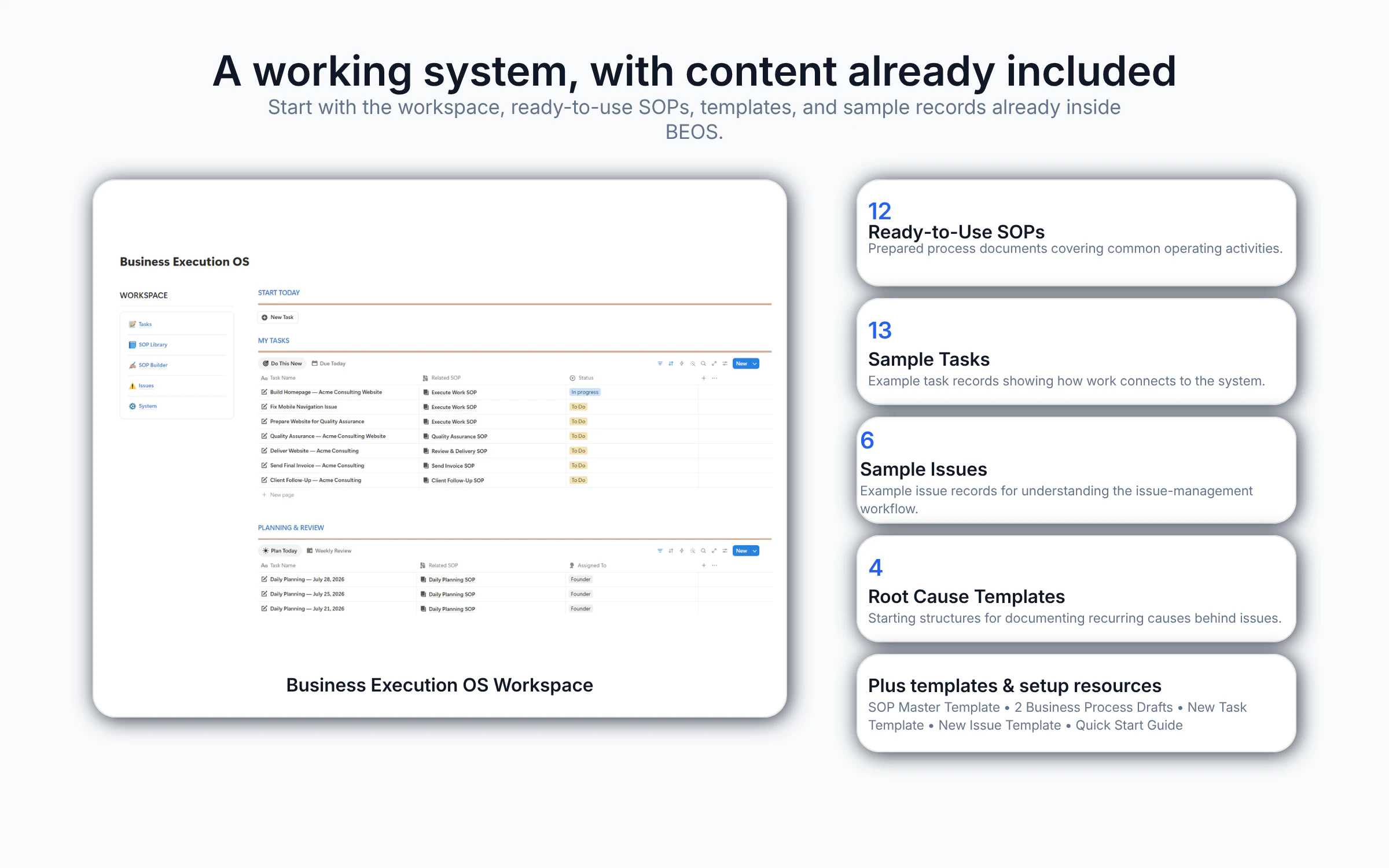
Business Execution OS gives you a working operational foundation from day one. Begin with the included structure, adapt it to your business and improve it as your team executes recurring work.
Duplicate the workspace into your Notion account with the core databases and operating structure already connected.
Explore the dashboard, sample tasks, SOPs, issues and guidance to understand how the connected workflow operates before adding your own content.
Replace the examples with your recurring work, assign owners, link the relevant SOPs and adjust the included processes to match your business.
Use daily planning, weekly reviews and issue tracking to keep work visible and strengthen your processes as the business operates.
Get Business Execution OS for $149, including the connected workspace, ready-to-use SOPs, operational templates, sample content, lifetime access and lifetime updates.
$199
One-time payment with lifetime access and lifetime updates.
Most tools help you store tasks and documents. Business Execution OS connects recurring work with documented processes, issue management and planning so the system supports how work is actually executed.
A typical general workspace can organize tasks and documents, but the processes, connections and operating rules still need to be designed, linked and maintained by you.
Business Execution OS begins with a connected operational structure where recurring tasks, documented SOPs, issues and planning support one repeatable execution workflow.
Business Execution OS is designed for founders who want practical systems, not another workspace to finish building. Here are clear answers about the product, setup, customization and purchase.
No. It is a structured Business Operating System built in Notion. Tasks, SOPs, issues, planning and continuous improvement are connected so recurring work follows a documented process instead of sitting across disconnected pages.
You receive the connected Business Execution OS workspace, an implementation guide, an SOP Master Template, 12 ready-to-use operational SOPs, 2 editable business process templates, task and issue templates, 13 sample tasks, 6 sample issues, lifetime access and lifetime updates.
No.
Basic familiarity with Notion is enough to get started.
Business Execution OS includes a Learn the System Guide to help you duplicate the workspace and understand how everything works.
The core workspace, databases, templates and example content are already structured. Your main setup work is reviewing the included system, replacing the examples, assigning owners and adapting the processes to match how your business operates.
Yes. You can edit the SOPs, task templates, process templates, properties and sample content to reflect your own services, responsibilities and recurring workflows. The system provides a working foundation rather than locking you into one operating method.
Yes. You can share the duplicated Notion workspace with your team according to your Notion plan and permissions. Business Execution OS is designed to make recurring work, responsibilities and documented procedures easier for a small team to follow.
Do not claim that team seats or paid Notion access are included with the purchase.
Yes. You could design the databases, connect the workflows, document the procedures and build the templates yourself. Business Execution OS is for founders who would rather begin with a structured operational foundation and spend their time adapting it instead of building everything from scratch.
Your purchase provides ongoing access to the Business Execution OS product and future updates released for the purchased version. There is no recurring Foundovo subscription fee for the product. Any separate Notion account or plan costs remain your responsibility.
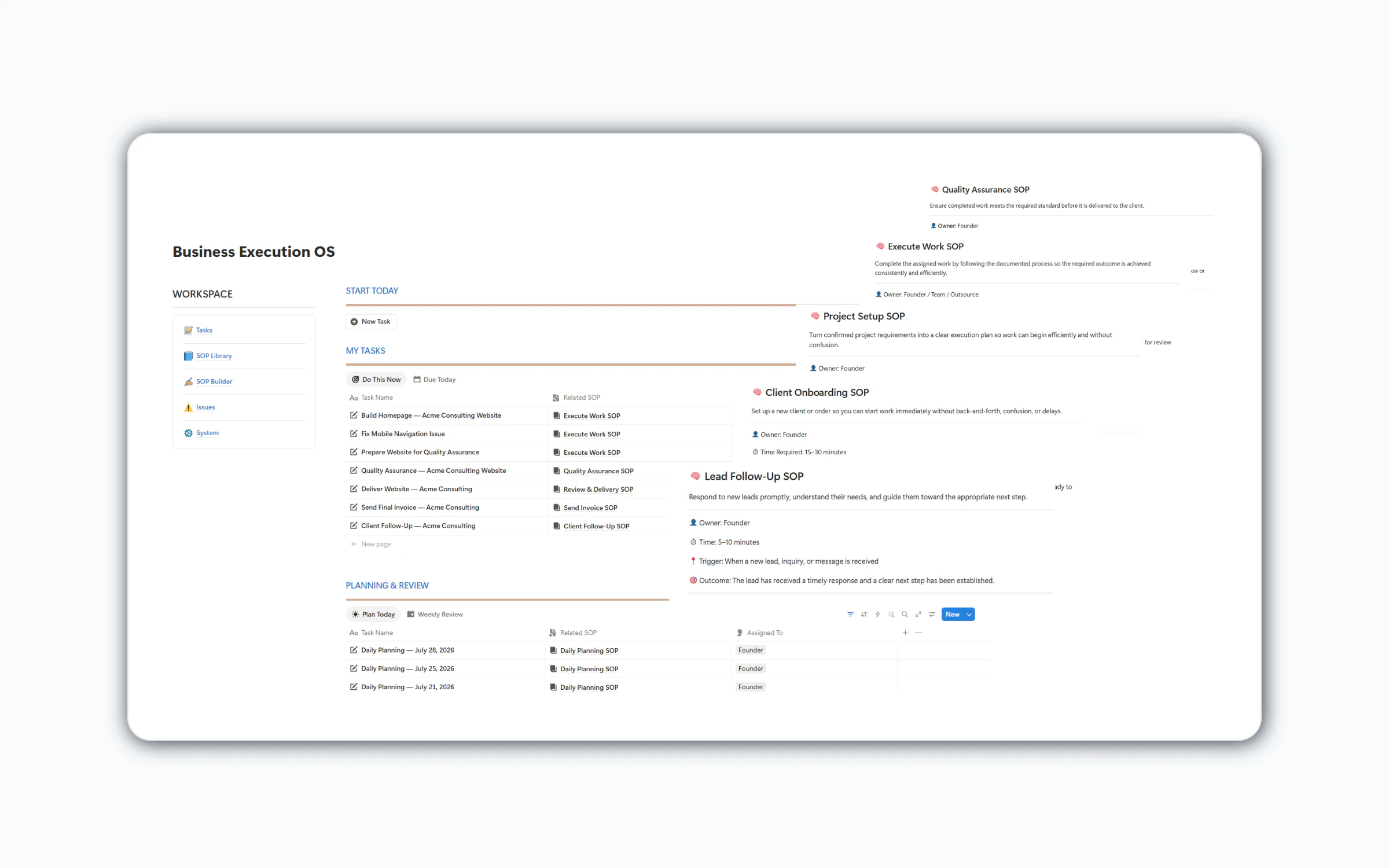
Start with a connected operating foundation for tasks, SOPs, issues, planning and continuous improvement—then adapt it to the way your business works.
One-time purchase · Lifetime access · Lifetime updates
We use cookies to improve your experience and understand how visitors use our website. You can accept all cookies or manage your preferences.